
Most people use a search engine the way they use a vending machine: type a few words, take whatever comes out. Investigators use it more like a precision instrument. The same engine that returns millions of vague results can, with the right syntax, return the one PDF, the one forgotten profile or the one archived page that answers your question.
Part 3 of The Ultimate OSINT Cheat Sheet is dedicated to search. This article walks through the operators, the factors that improve results, the file types worth hunting and the specialised engines that go beyond Google.
At Cibergy, an intelligence and fraud consulting firm, we tell you everything you need to know about how an investigator searches, from OSINT search engines to operators and dorks, step by step.
Why one search engine is never enough
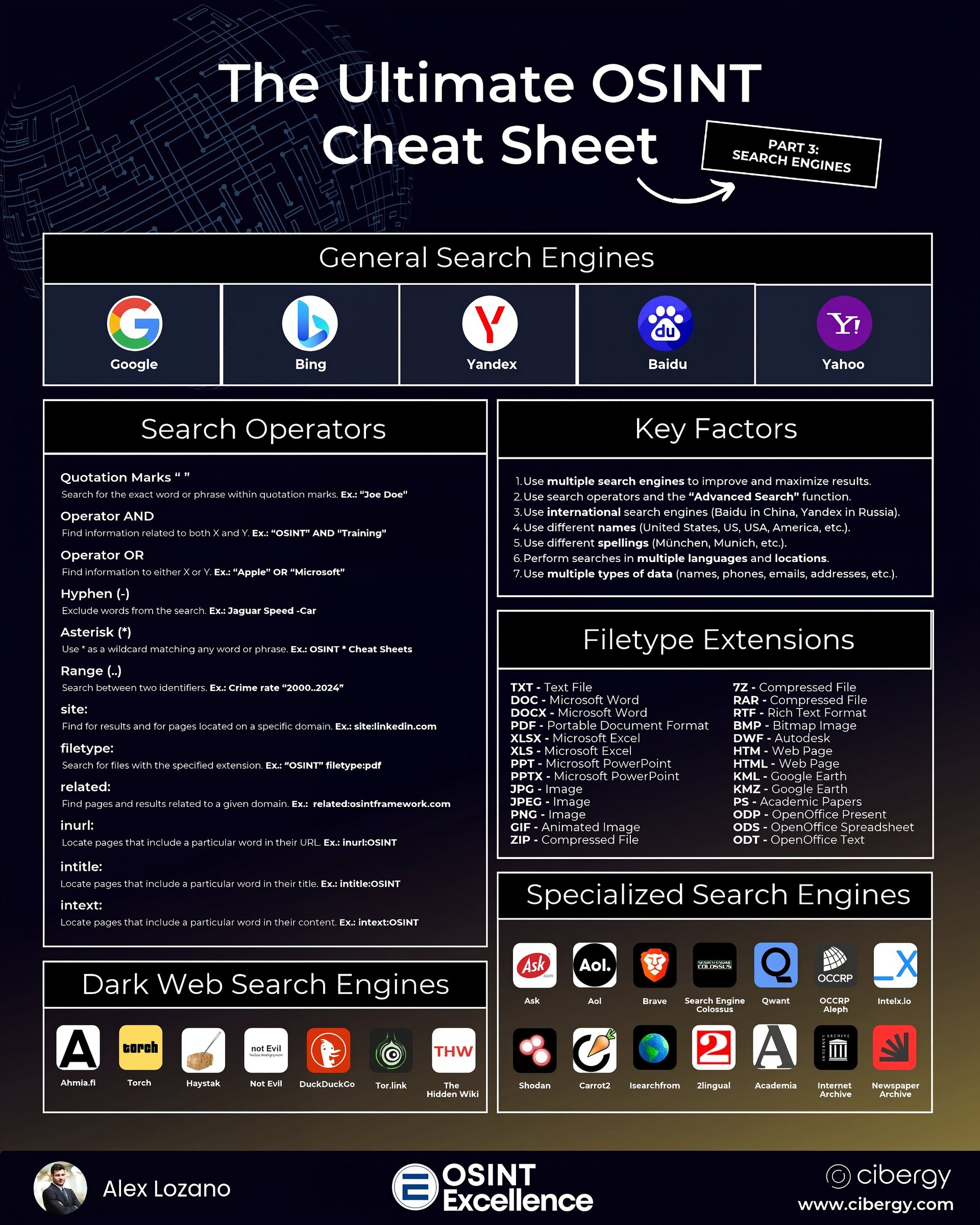
The cheat sheet lists five general-purpose search engines: Google, Bing, Yandex, Baidu and Yahoo. They do not share a single index. Each crawls the web differently, ranks results differently and is stronger in different regions and languages.

- Google has the largest index in most Western markets and the richest operator support.
- Bing often surfaces pages Google ignores and powers several other engines.
- Yandex is the reference for Russian-language content and has historically been very strong for reverse image and face-like matching.
- Baidu is essential for Chinese-language content.
- Yahoo is largely powered by Bing today, but still occasionally returns a different ordering worth checking.
Running the same query on three or four engines takes minutes and regularly produces findings that a single engine missed.
The OSINT search operators that matter
Operators tell the engine exactly what you want. These are the OSINT search operators listed on the cheat sheet, with investigative examples.
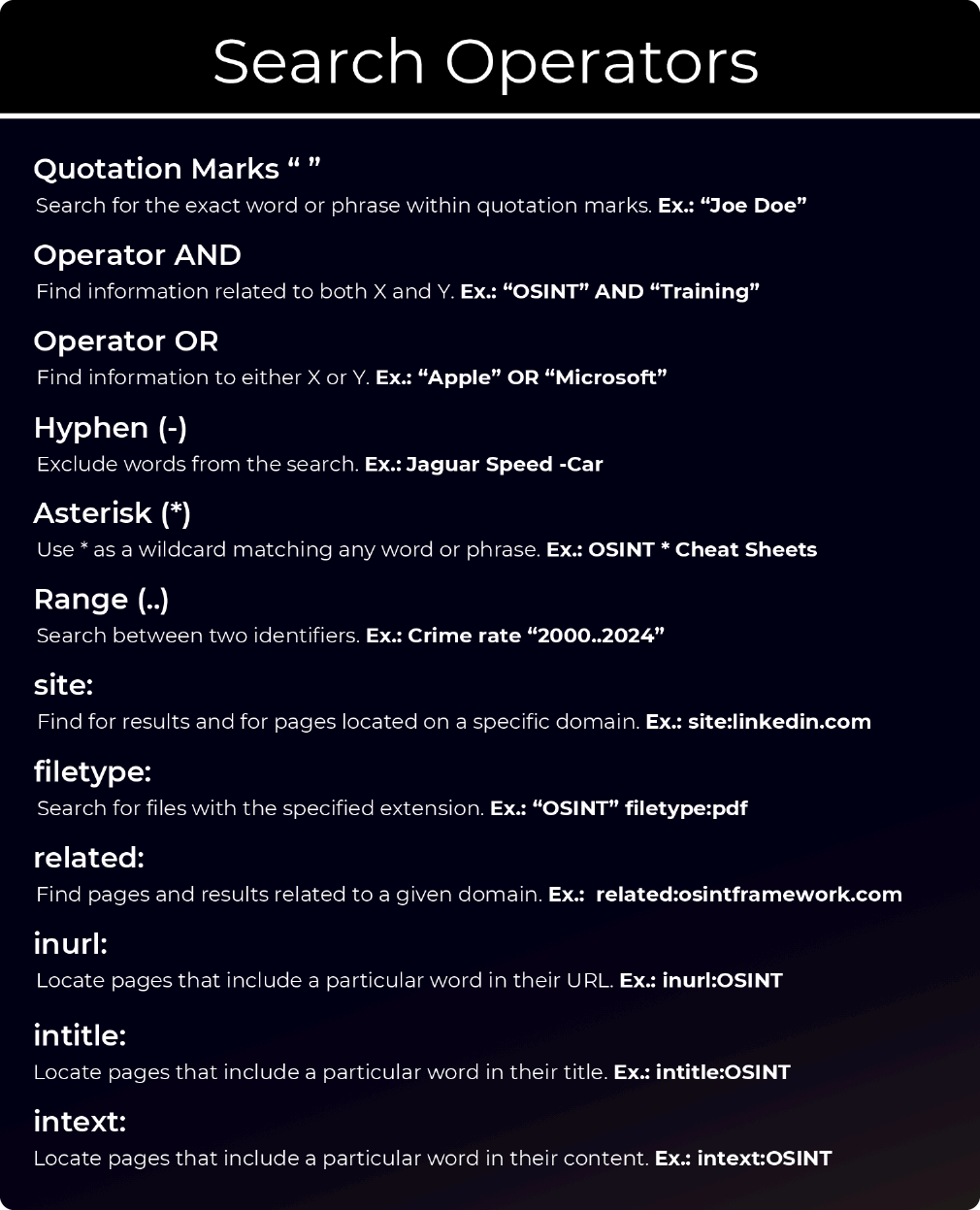
| Operator | What it does | Example |
|---|---|---|
| “quotes” | Exact word or phrase | “Joe Doe” |
| AND | Both terms must appear | “OSINT” AND “Training” |
| OR | Either term may appear | “Apple” OR “Microsoft” |
| – (hyphen) | Exclude a term | Jaguar speed -car |
| * (asterisk) | Wildcard for any word | OSINT * cheat sheets |
| .. (range) | Numbers between two values | crime rate “2000..2024” |
| site: | Only results from a domain | site:linkedin.com |
| filetype: | Only a given file extension | “OSINT” filetype:pdf |
| related: | Sites similar to a domain | related:osintframework.com |
| inurl: | Word in the URL | inurl:OSINT |
| intitle: | Word in the page title | intitle:OSINT |
| intext: | Word in the page body | intext:OSINT |
Two honest caveats. Search engines change their syntax without notice: Google officially retired the related: and cache: operators, and support for the range operator varies. Always test an operator before relying on it in a live case. And remember that each engine has its own dialect. Bing, for instance, supports operators like inbody: and contains:, while Yandex has its own advanced syntax.
From operators to dorks: how an investigator builds a search
The real power comes from combining operators, and it is how investigators really search. These combinations are often called dorks. A few examples of what they can do in legitimate investigations:
- Find people with a role in a place:
site:linkedin.com/in "fraud investigator" "Barcelona" - Find documents about a company:
"Acme Logistics" filetype:pdf OR filetype:xlsx - Find official reports on a topic:
site:gov.uk filetype:pdf "annual report" "cybercrime" - Find mentions of a username outside a platform:
"jdoe_1987" -site:instagram.com - Find pages listing staff:
site:acme.com intitle:"team" OR intitle:"about us"
A good habit is to keep a personal library of dorks that worked, organised by investigation type. Over time it becomes one of your most valuable assets.
Seven key factors for better OSINT search results
The cheat sheet summarises seven factors that consistently improve search outcomes.
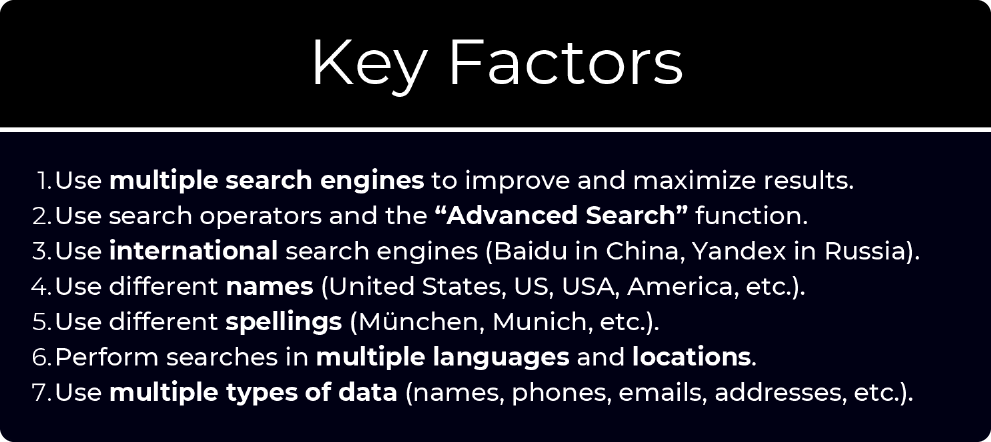
- Use multiple search engines to improve and maximise results.
- Use search operators and the Advanced Search function. Google’s Advanced Search page builds operators for you if you forget the syntax.
- Use international search engines: Baidu for China, Yandex for Russia, and local engines wherever they exist.
- Use different names. United States, US, USA, America. A company may appear as “Acme Ltd”, “ACME Limited” or simply “Acme”.
- Use different spellings. München, Munich, Muenchen. Transliterated names (Arabic, Cyrillic, Chinese) can have many valid Latin spellings.
- Search in multiple languages and locations. Results change with the language of the query and the country the engine thinks you are in.
- Use multiple types of data. Names, phone numbers, emails, addresses, usernames. Each is a different door into the same target.
Factors 4 to 6 are where beginners lose the most. A person named “José María García” may appear online as Jose Maria Garcia, J.M. Garcia, Chema Garcia or José García. Build a variants list before you start.
File types worth hunting
The filetype: operator is one of the most underused tools in OSINT. Organisations publish far more documents than they realise, and documents often contain names, internal structure, phone extensions and metadata. The cheat sheet lists common extensions to target:
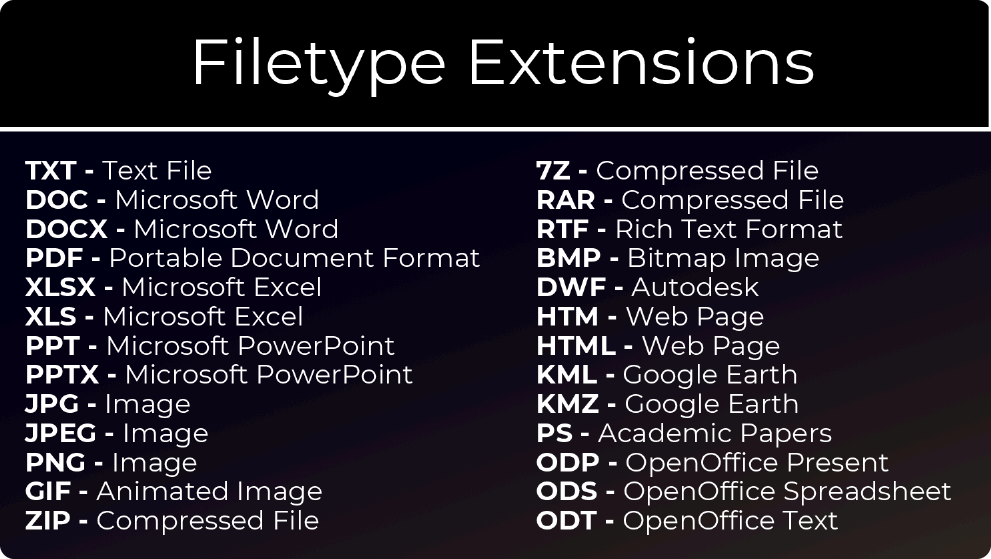
- Text and office documents: TXT, DOC, DOCX, RTF, ODT, PDF
- Spreadsheets: XLS, XLSX, ODS (staff lists, price lists and contact sheets often end up here)
- Presentations: PPT, PPTX, ODP (internal training and sales decks)
- Images: JPG, JPEG, PNG, GIF, BMP
- Web pages: HTM, HTML
- Compressed files: ZIP, RAR, 7Z
- Geographic data: KML, KMZ (Google Earth files with routes and locations)
- Technical and academic: DWF (Autodesk), PS (academic papers)
Once you find a document, download it and inspect its metadata. Author names, software versions and creation dates are frequently left in place.
Specialised search engines for OSINT beyond Google
Beyond the big five, the cheat sheet groups a set of specialised engines worth adding to your toolkit:
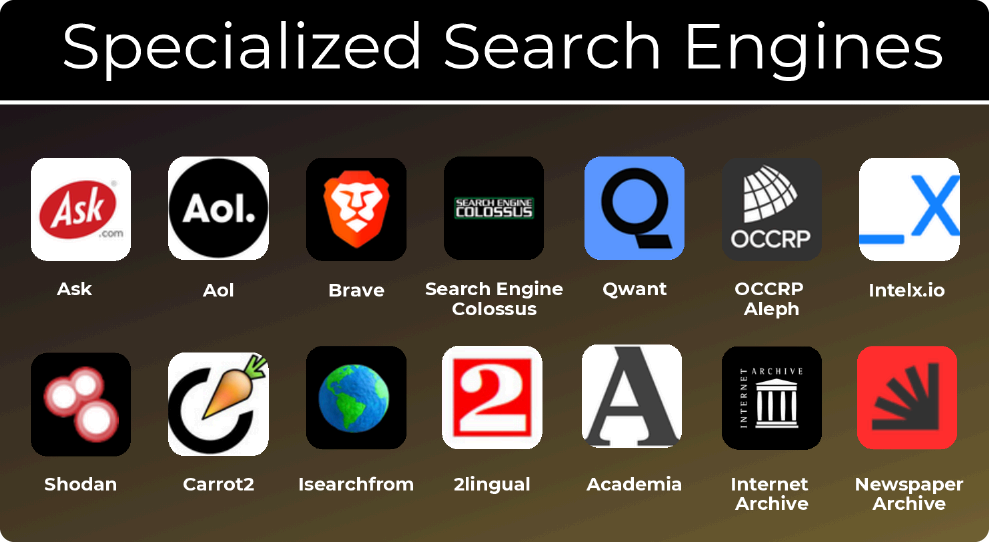
- Alternative general engines: Ask, AOL, Brave Search (its own independent index), Qwant (European, privacy-focused).
- Directories of engines: Search Engine Colossus, an index of search engines by country.
- Investigative databases: OCCRP Aleph (leaks, company records and investigative datasets), Intelligence X (leaks, archives and historical data).
- Infrastructure: Shodan, which indexes internet-connected devices and exposed services rather than web pages.
- Clustering and localisation: Carrot2 (groups results into topics), Isearchfrom (search Google as if you were in another country or device), 2lingual (search in two languages at once).
- Academic and historical: Academia, the Internet Archive and Newspaper Archive.
Dark web search engines
Finally, the cheat sheet lists engines for the Tor network: Ahmia.fi, Torch, Haystak, Not Evil, DuckDuckGo (onion version), Tor.link and The Hidden Wiki.
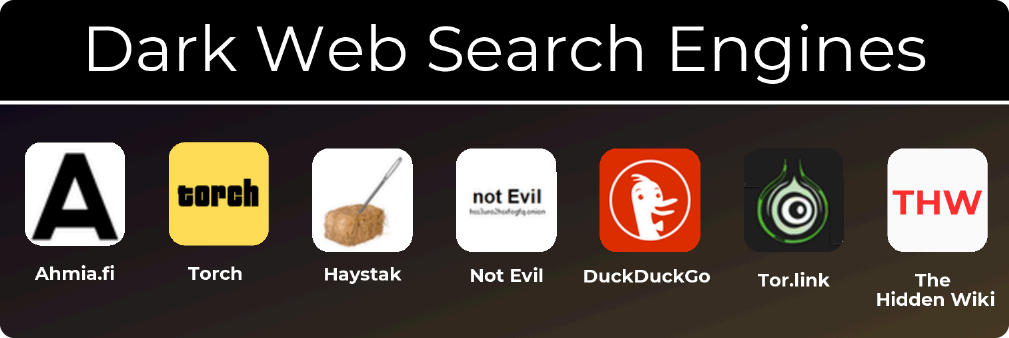
Dark web search is far less reliable than surface web search. Indexes are small, sites appear and disappear quickly, and link directories like The Hidden Wiki exist in many copies, some of which point to scams or malicious pages. Ahmia is a good starting point because it filters known abuse content. Always access these resources from an isolated environment with proper operational security, which we cover in Part 6 of this series.
The takeaway: how OSINT investigators search
Search is the backbone of OSINT. Learning operators, thinking in variants, hunting documents and using engines beyond Google will multiply what you can find with no extra budget. The best investigators are not those who know the most tools, but those who can ask a search engine the most precise question.
In Part 4 we look at the resources that keep an OSINT professional learning: books, podcasts, channels, blogs and communities.
Want to go deeper? Download the full OSINT Cheat Sheets collection and explore the training programmes at OSINT Excellence, or contact Cibergy for professional open source investigations.
Frequently asked questions (FAQs)
How does an OSINT investigator search?
An OSINT investigator does not rely on a single search engine. Google, Bing, Yandex, Baidu and Yahoo do not share a single index, so the same query is run on three or four of them. The investigator combines operators into dorks, tries different names, spellings and languages, hunts for documents by file type and adds specialised engines to the mix.
Which search operators matter most in OSINT?
The cheat sheet lists quotation marks for exact phrases, AND, OR, the hyphen to exclude words, the asterisk wildcard and the range operator, plus site:, filetype:, related:, inurl:, intitle: and intext:. Google officially retired related: and cache:, and each engine has its own dialect, so every operator should be tested before relying on it in a live case.
What is a dork?
A dork is a combination of search operators that targets exactly what an investigator wants, such as a role in a place, documents about a company or pages listing staff. Keeping a personal library of dorks that worked, organised by investigation type, becomes one of an investigator’s most valuable assets.
What are the seven key factors for better search results?
Use multiple search engines, use search operators and the Advanced Search function, use international search engines, use different names, use different spellings, search in multiple languages and locations, and use multiple types of data such as names, phone numbers, emails, addresses and usernames. Factors four to six are where beginners lose the most.
Which file types are worth hunting with the filetype: operator?
Text and office documents (TXT, DOC, DOCX, RTF, ODT, PDF), spreadsheets (XLS, XLSX, ODS), presentations (PPT, PPTX, ODP), images, web pages, compressed files (ZIP, RAR, 7Z), geographic data (KML, KMZ) and technical or academic formats (DWF, PS). Documents often contain names, internal structure, phone extensions and metadata, so a document should be downloaded and its metadata inspected.
Which specialised search engines go beyond Google?
Alternative general engines include Ask, AOL, Brave Search and Qwant. Search Engine Colossus indexes engines by country, OCCRP Aleph and Intelligence X cover leaks and investigative datasets, Shodan indexes internet-connected devices, Carrot2, Isearchfrom and 2lingual help cluster and localise results, and Academia, the Internet Archive and Newspaper Archive cover academic and historical material.
Are dark web search engines reliable?
Dark web search is far less reliable than surface web search. Indexes are small, sites appear and disappear quickly, and link directories like The Hidden Wiki exist in many copies, some of which point to scams or malicious pages. Ahmia is a good starting point because it filters known abuse content, and access should always happen from an isolated environment with proper operational security.
Summary
Investigators search with precision, and OSINT search engines reward it. Google, Bing, Yandex, Baidu and Yahoo each have their own index, so running the same query on several of them finds what one engine misses. Operators such as quotation marks, site:, filetype:, inurl:, intitle: and intext: tell the engine exactly what you want, and combining them produces dorks that locate people, documents, reports and staff pages. Seven key factors, from using different names and spellings to searching in several languages, improve every search. Documents are worth hunting by file type and inspecting for metadata, while specialised engines and dark web search engines extend the reach beyond Google, with far less reliability on the dark web.
- Five general engines: Google, Bing, Yandex, Baidu and Yahoo do not share a single index.
- Operators: quotes, AND, OR, hyphen, asterisk, range, site:, filetype:, related:, inurl:, intitle: and intext:, tested before use because syntax changes without notice.
- Dorks: combinations of operators, best kept in a personal library organised by investigation type.
- Seven key factors: multiple engines, operators, international engines, different names, different spellings, multiple languages and locations, and multiple types of data.
- File types: documents, spreadsheets, presentations, images, web pages, compressed files and geographic data, with metadata inspected once found.
- Specialised engines: Brave, Qwant, OCCRP Aleph, Intelligence X, Shodan, Carrot2, Isearchfrom, 2lingual and the Internet Archive.
- Dark web engines: Ahmia.fi, Torch, Haystak, Not Evil, DuckDuckGo (onion version), Tor.link and The Hidden Wiki, always from an isolated environment.